Get your transcript on a phone
Draft help text for the free tool, built from Ty's screen recording (Oct 23). The words go to the Editor's gate before they go live.
Before you start (one time, about 30 seconds)
- Use your phone's web browser, not the YouTube Studio app. The app can't download captions.
- Switch the browser to the desktop site before you open YouTube Studio:
- Chrome on Android: tap ⋮ (top right), then tick Desktop site.
- Safari on iPhone: tap aA in the address bar, then Request Desktop Website.
- Chrome on iPhone: tap ⋯, then Request Desktop Site.
- Keep this page open in its own tab, so it's easy to come back.
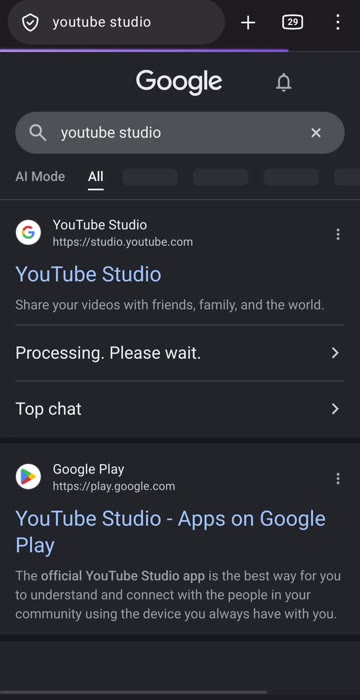
1. In the browser, go to studio.youtube.com (or search "YouTube Studio" and tap the studio.youtube.com result, not the app store one). If your phone offers to open the app, choose to stay in the browser. Sign in to your channel.
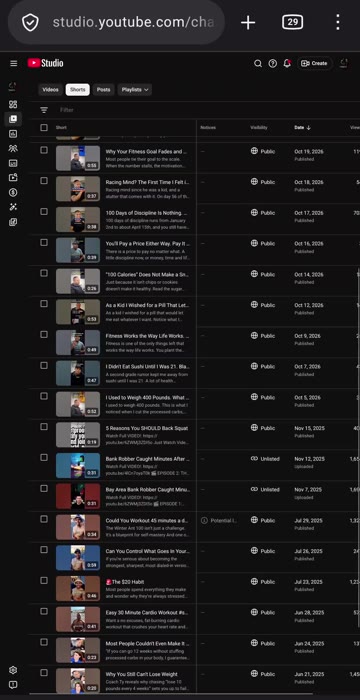
2. Tap Content in the left menu, then the Videos or Shorts tab, and tap your video. The desktop page is small: pinch to zoom.
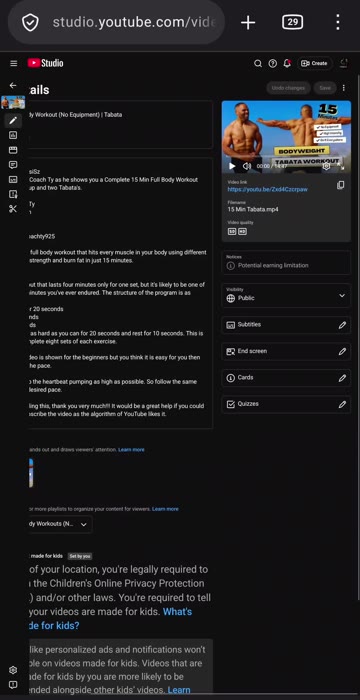
3. On the video's page, tap Subtitles (called Languages on some screens).
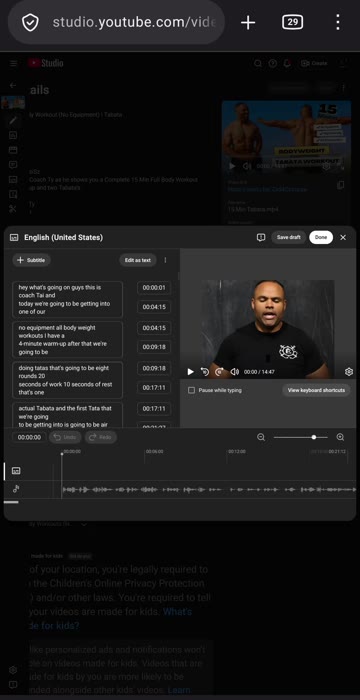
4. Open your language (for example English). Tap ⋮ next to the captions, then Download. Any file type works (.srt, .sbv or .vtt).
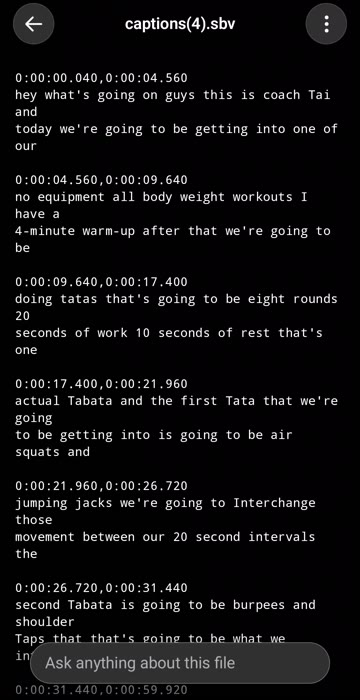
5. The file opens with the words and their times. That's your transcript.
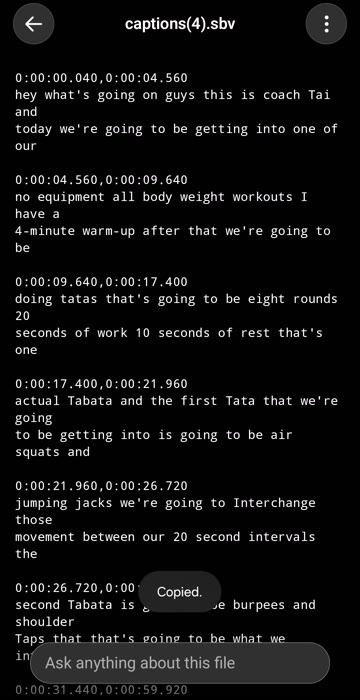
6. Either come back to this page and tap Upload a file (it's in your Downloads), or press and hold the text, tap Select all, then Copy.
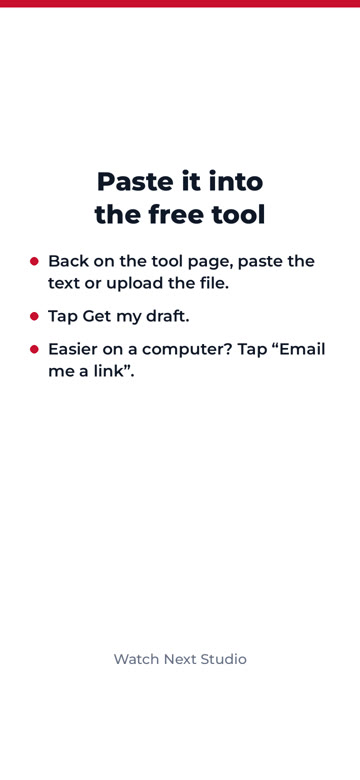
7. Back on this page, paste it into the transcript box and tap Get my draft.
Easier on a computer? Tap "Email me a link to finish on a computer". You can also Start with the basics now (no transcript needed) and add the transcript later.